
Many self-storage managers seek an online solution to accept and manage personal identifications and military IDs for the purposes of discounting or authorizing users. Fourside Solutions offers these capabilities in just a few easy steps.
How a tenant uploads identification
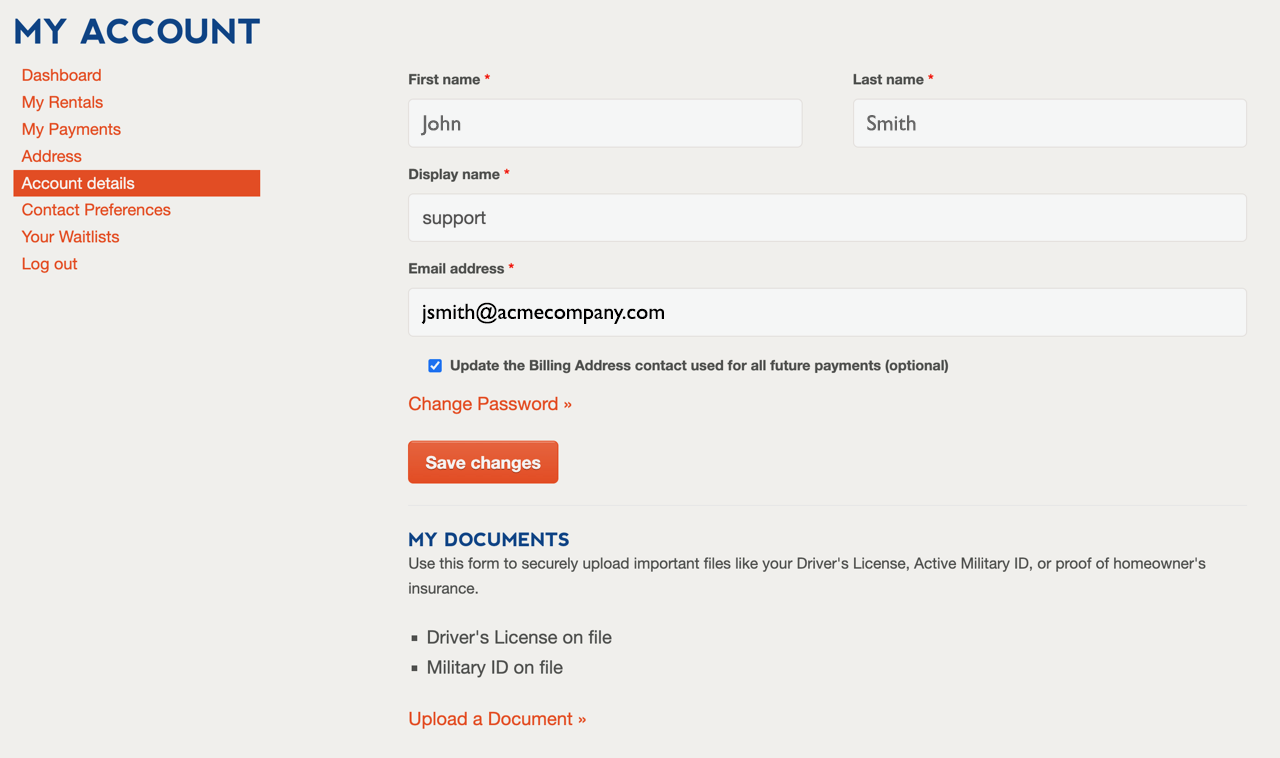
A renter can upload identification documents through their My Account space found on the facilities website. Once a renter is logged in, they can use the Account Details tab. A renter will be able to see files that are saved and use the drag-and-drop uploader to share a new file.


How an admin reviews/approves identification
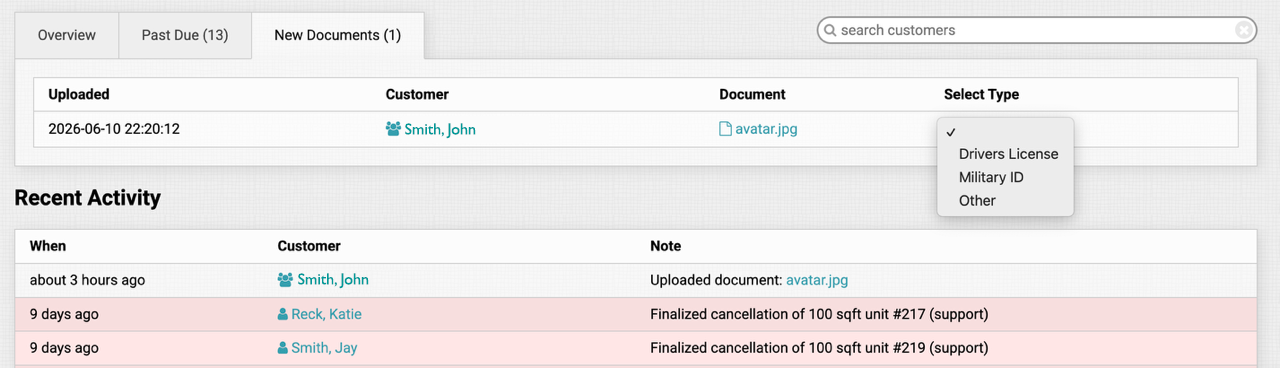
When a renter uploads a document, it goes into a queue for the facility managers to review for accuracy and process. To review, the manager visits the facility dashboard and accepts or declines by selecting what type of file it is. If there are new uploaded documents to review, they will appear in a new tab on the front dashboard as a list. Also, the dashboard will show a line item under Recent Activity for new uploaded documents. The file name is clickable for a quick glance at file in a new browser window. If the manager chooses “Drivers License” or “Military ID” as the upload type, then it will populate in the customer’s profile view.
How an admin uploads a tenants identification
There is also a way for managers to upload ID files they receive by other means. These files are associated with the customer record, so the documents will be available across all facilities where they may rent storage units.
Any uploads that get tagged as “Other” type will be listed at the bottom of the customer profile as seen here:
Latest Feature Articles